
FlyingHost is a premium managed WordPress hosting service from FlyingWeb, where you can find other WordPress developments like FlyingPress and FlyingCDN. Yes, it’s another Gijo Varghese creation, and it offers decent features and a clean UI.
I won’t write a lengthy post for FlyingHost; I hope you already know how fully managed hosting works. Here, I want to discuss a few key points about FlyingHost.
Each website gets its own isolated container with RAM, Redis, and MariaDB. This setup provides no neighbors, no oversold servers, and no tricky server management. It is also optimized for WooCommerce with fast database performance.
The main concern is the limited number of PHP workers. FH provides enough PHP workers for each plan, but modern hosts do not have this limitation.
Plans and Prices:
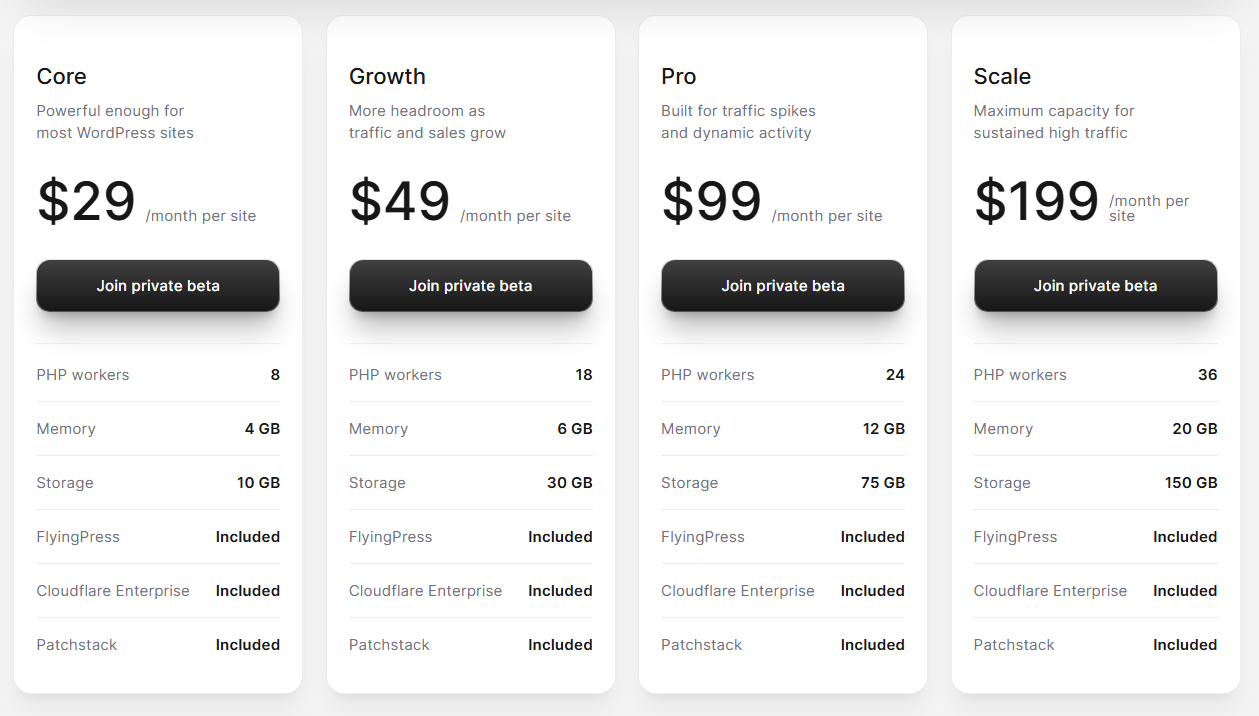
FlyingHost offers 4 plans. Every site includes 100 GB of bandwidth, and extra bandwidth costs $5 per 100 GB. Even includes a 14-day free trial.
- Core: Suitable for most sites, offering 4 GB RAM, 10 GB storage, and 8 PHP workers for efficient performance. $29/month.
- Growth: Enough for a WooCommerce website; includes 6 GB RAM, 30 GB storage, and 18 PHP workers for $49/month.
- Pro: Ideal for high-traffic, active websites; includes 12 GB RAM, 75 GB storage, and 24 PHP workers for $ 49/month.
- Scale: Built for traffic spikes, it offers 20 GB RAM, 150 GB storage, and 36 PHP workers for $49/month.
If you’re already using FlyingPress or FlyingCDN, you don’t have to pay for either service when you switch over to FlyingHost.
Feature Highlights
- High-frequency: CPU clocks up to 5 GHz and NVMe storage, which boost the speed of dynamic pages. You will notice a significant speed improvement in the WordPress admin dashboard. Ideal for workloads that rely on fast single-threaded processing rather than multiple threads.
- Cloudflare Enterprise: Seamlessly integrates with Cloudflare Enterprise and includes full-page caching (often seen on modern web hosts).
- Isolated containers: Each website runs in its own container, which is good for security and performance, but the PHP worker is the bottleneck.
- Dedicated database and Redis: Each site has its own database and Redis object cache, so if one site gets super busy, it won’t slow down the others.
- Free FlyingPress: You can use FlyingPress without buying the plugin.
- File Manager and SSH terminal: Usually, you can’t see the File Manager and the SSH terminal in fully managed hosting. It is something impressive to me. I usually see these features in advanced cloud control panels.
- Patchstack: It is already integrated with Cloudflare and also offers Patchstack, a tool that identifies vulnerabilities in your website’s plugins, themes, and core. Yeah, Cloudflare is great for blocking external threats, but Patchstack helps keep your website safe from internal issues.
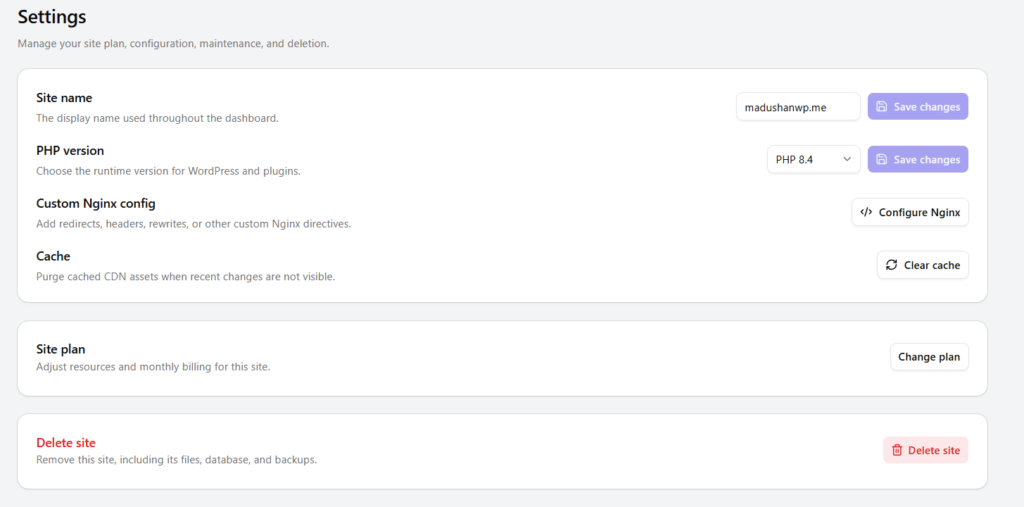
- Latest PHP version: You can select the latest PHP version (now it’s 8.5).
- Unlimited Visits: It has a bandwidth limitation, but there’s no limit on page views.
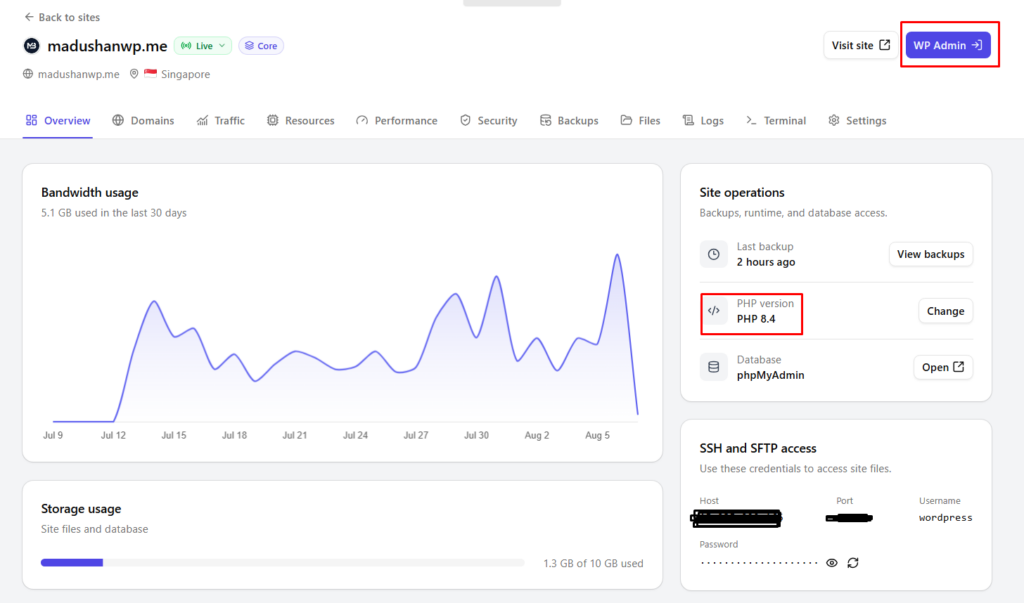
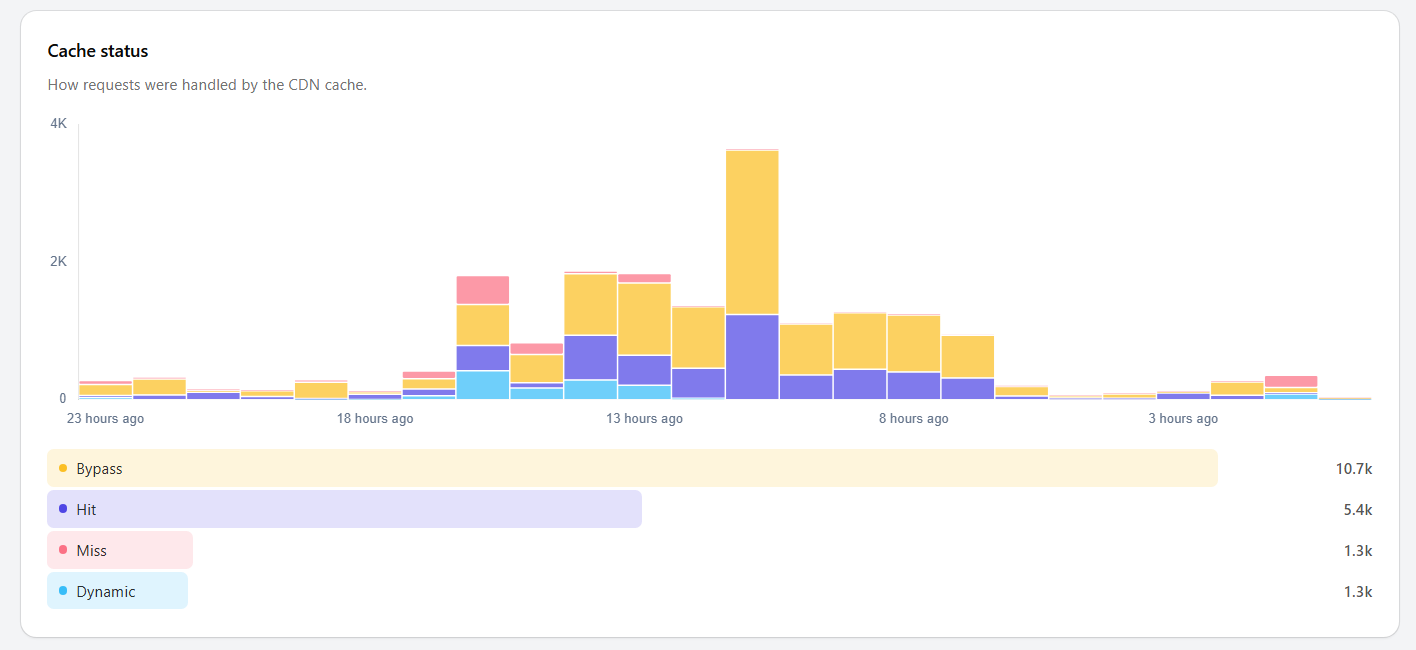
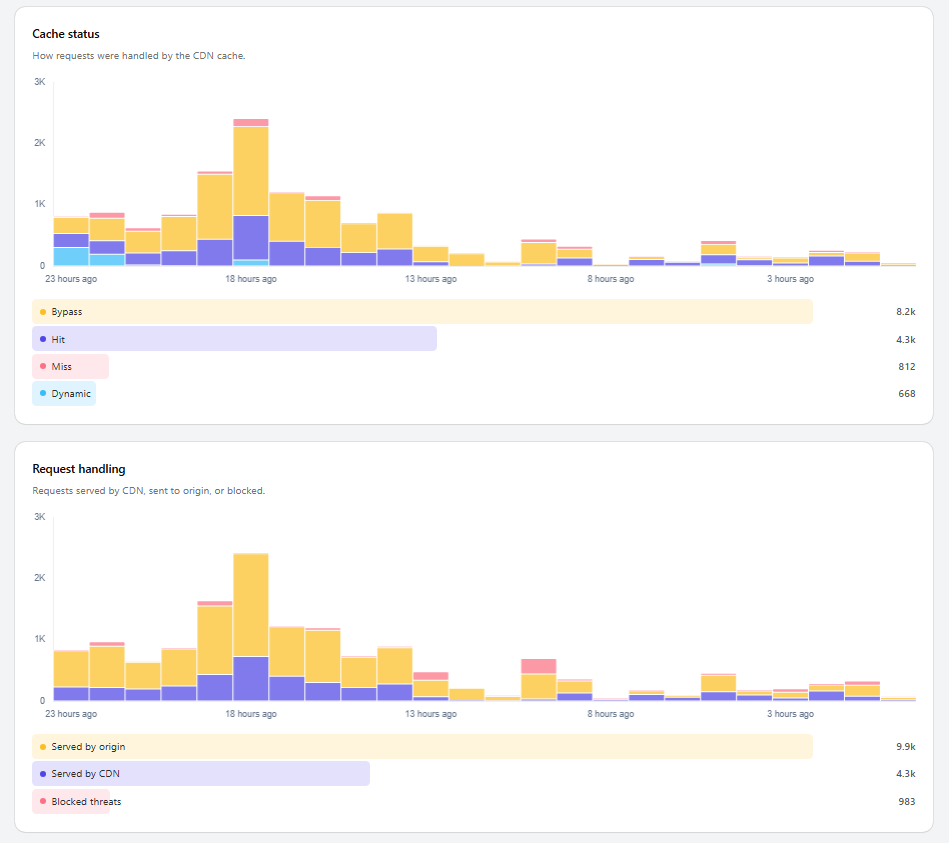
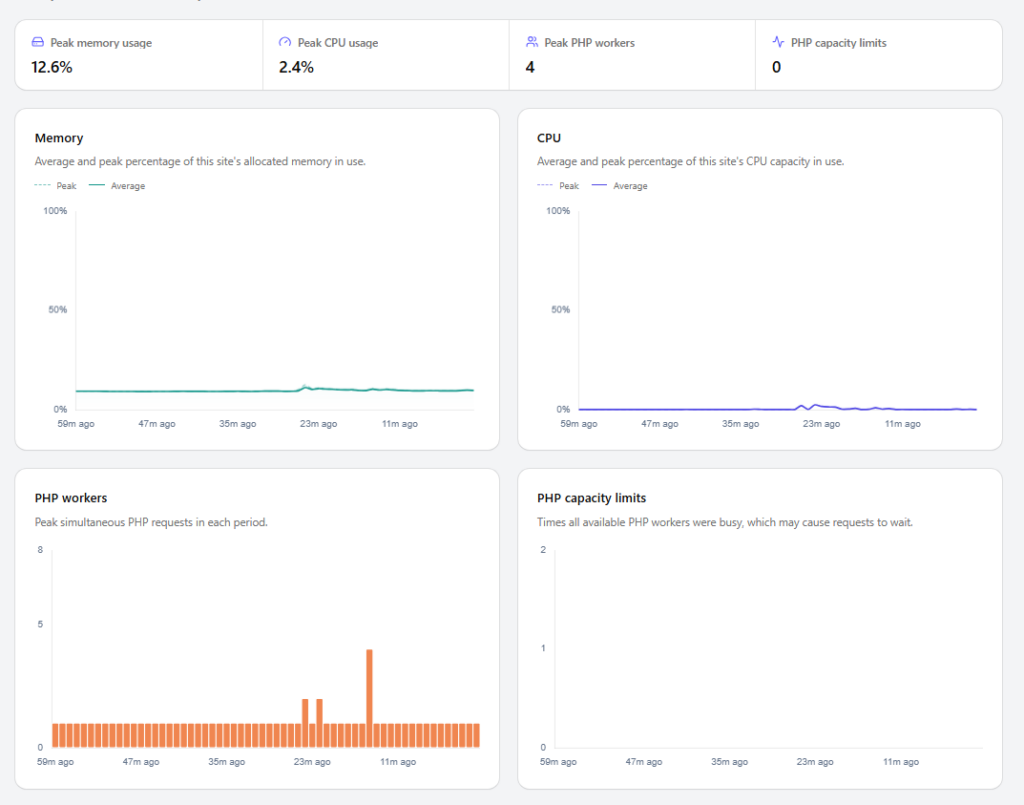
- Caching, Resources, Traffic, and CDN insights: Its dashboard lets you monitor cache status, bandwidth usage, requests, server resource usage, and CDN performance. It also includes analytics with graphics and charts.
FH also simplifies website management, so you don’t have to worry about security services, caching plugins, or a CDN. You can save money and focus on your site.
FlyingHost vs Kinsta vs WP Engine vs Rocket.net
Let’s compare these web hosts’ starter plans.
| Features | Kinsta | WP Engine | Rocket.net | FlyingHost |
|---|---|---|---|---|
| Price | $35 | $35 | $30 | $29 |
| RAM | Unspecified | Uunspecified | Unspecified | 4 GB |
| Bandwidth | 125 GB | 75 GB | 50 GB | 100 GB |
| Monthly Visits | 35000 | 25000 | Unmetered | Unmetered |
| Object Cache | Redis/$100/m | Memcached | Redis | Redis |
| Storage | 10 GB NVMe | 10 GB SATA | 10 GB NVMe | 10 GB NVMe |
| PHP Workers | 2 | Unspecified | Unmetered | 8 |
| Environment | Shared | Shared | Shared | Isolated |
| CPU Clock | 3.7 GHz | 3.8 GHz | 4 GHz | 5 GHz |
| Magic Login | x | x | ✓ | ✓ |
| CDN | Cloudflare | Cloudflare | Cloudflare Enterprise | Cloudflare Enterprise |
| EDGE Caching | x | x | ✓ | ✓ |
| Security | x | x | Imunify360 | Patchstack |
| Free Cache Plugin | x | x | WP Rocket | FlyingPress |
| Restrictions On Plugins | Yes | Yes | No | No |
| File Manager | x | x | ✓ | ✓ |
FlyingHost is a solid choice for anyone looking to host WordPress websites safely with some cool premium features. In my personal opinion, it’s an ideal alternative to other popular hosting options like Kinsta, WP Engine, Rocket.net, Presslabs, and BigScoots.
Dashboard (Cockpit)
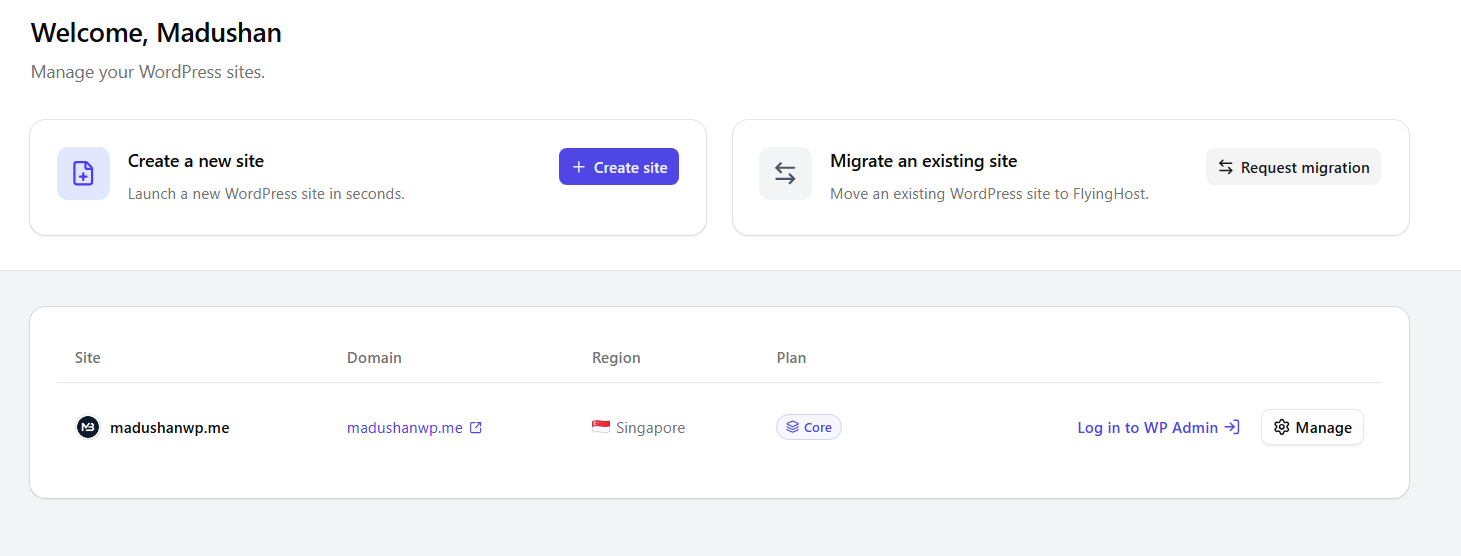
The dashboard is very simple; you won’t see fancy features or colors like those on other managed hosts, but it gets the job done for easy WordPress hosting. When selecting a plan, you can choose server locations in the USA, Germany, India, and Singapore.
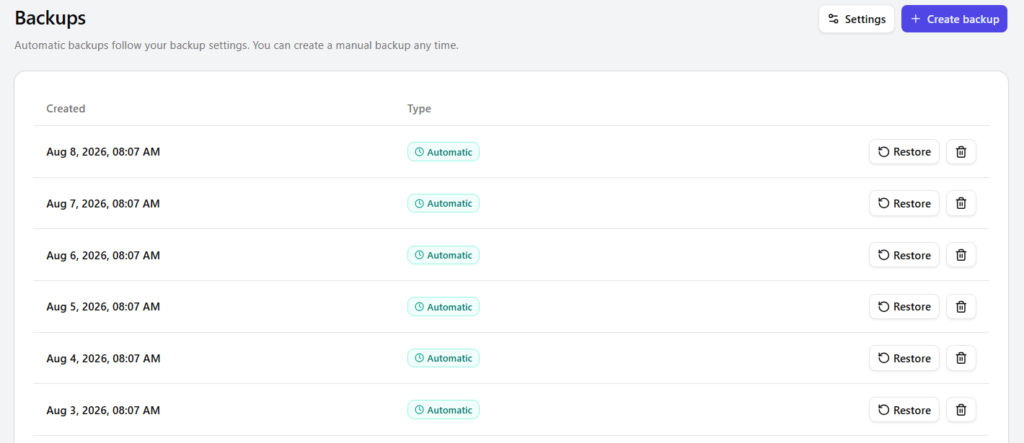
Of course, simple doesn’t mean there aren’t features. It includes plenty of features such as passwordless login, files, databases, logs, traffic and resource monitoring, staging, backups, and terminal access.
You can switch seamlessly between personal, company, and client accounts. Assign suitable access levels to teammates and clients across all organizational websites.
Here are some screenshots of the dashboard features:

Downsides
For now, there are some concerns about FlyingHost.
First, the number of PHP workers is limited. PHP workers are background processes on a web server that execute PHP processes for dynamic requests. This isn’t a big deal for most websites, but it can be a problem for very active ones.
Second, bandwidth limits: each website includes only 100 GB of bandwidth, and extra bandwidth costs $5 per 100 GB. It can be super expensive if you have a lot of traffic. Even with the highest plan, you only get 100 GB of bandwidth. Most hosting providers offer more bandwidth on their higher-tier plans. For example, Rocket.net’s higher-tier plans offer 500GB of bandwidth.
Third, Per-site pricing. So each plan lets you host only one website. Even on the top-tier plan, you can still host only one website. It is also OK because each site runs in its own isolated container with dedicated resources, a database, and security measures. You can predict costs with per-site pricing. For me, it is odd.
Final Thoughts
For most people, FlyingHost is a solid WordPress hosting solution, similar to a pre-set VPS with some limits. Each site runs on dedicated resources.
I think FH is an even nicer alternative to DigitalOcean and Vultr for WordPress hosting. The core plan is pretty fair. You get all the must-have hosting features, plus some cool extras like 4 GB RAM, Redis, Cloudflare Enterprise, and Patchstack.
Compared to other similar hosts, it’s easy to see why I feel that way. The File Manager and SSH terminal are something special with FlyingHost. Plus, the dashboard is super simple, which makes it easy to dive into the elements.
FlyingHost seems affordable compared with similar web hosts, but its per-site pricing and bandwidth limits can drive costs up. I have already noted its negatives. Those are the key points I want to share. I will update you if anything changes.