
WordPress themes with demo content let you quickly set up attractive websites. You can change up the design while keeping the basic layout the same, but swap out the content for elements that match the website’s vibe.
With this approach, you can add patterns or blocks without disrupting your website design. But if you import a full demo template, which usually comes with a complete website, it might clash with what you’ve already put out there. So, use pre-designed elements or single pages instead of full demo content to stay safe.
WordPress.org themes are a practical choice because they follow clean coding criteria and best practices. Third-party themes may come with hidden risks, so choose carefully.
Choose a flexible theme that works well with all plugins and supports future updates. But you don’t have to stick with a single theme, as themes tend to evolve and change.
However, some themes and page builders are difficult to update. And these are some of the top themes on WordPress.org that include demo samples.
1. Blocksy

Blocksy is one of my favorite themes; even the free version has plenty of features. Unlike others, Blocksy is bloat-free and meets high standards. Most free WP themes with demo content are too formal, so your site follows the theme’s default layout.
Blocksy lets you create pages and posts that look stylish, neat, and organized without forcing your content into the default template.
It lists all layout sections in the WordPress customizer. Separating the features makes them less overwhelming and helps you understand what’s changing.
Having trouble setting up a custom menu in the website header?
Blocksy solves that with a powerful header and menu builder. The most impressive header builder I have seen in a theme.
As a blogger, I prefer themes that don’t overlap with templates. Blocksy’s starter sites are flexible enough that users can adjust them without a mess. You can choose from more than 40 starter websites, and most of them are free. Every Blocksy demo website uses the Gutenberg editor, and you can choose from multiple e-commerce samples.
- App: A dark-and-white mixed mobile app demo website.
- Floreo: Online greenery decor store with a homey touch.
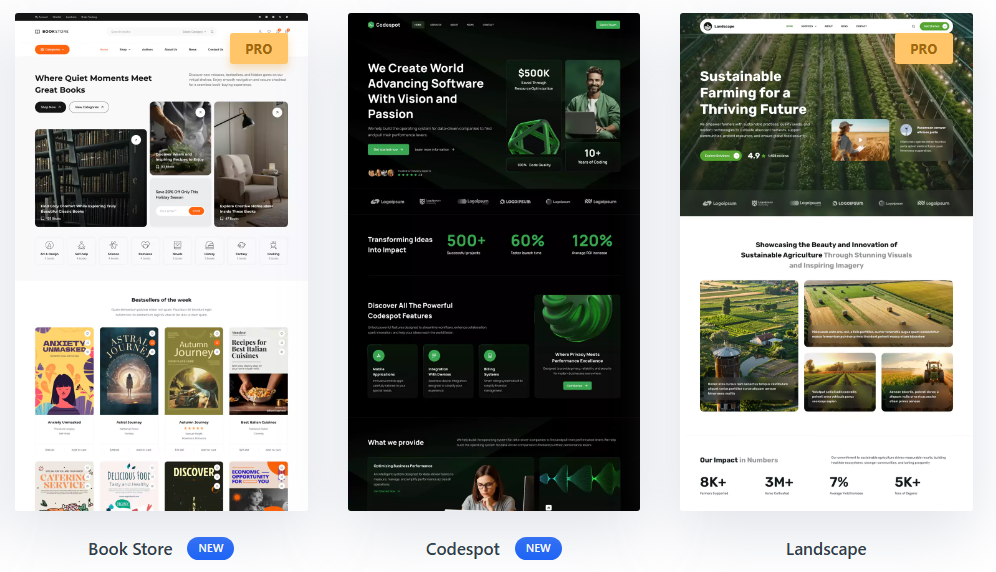
- Codespot: Modern demo website for software agencies, developers, and tech companies looking to build an online presence.
- Barber Shop: You won’t find many barber shop demo sites around; the layout is ideal for offering barbering services and hair care products.
- Book Store: Made for independent bookstores that want to create a warm, inviting online space where visitors can discover new books.
You don’t have to be a geek to use Blocksy’s features; you can easily customize the header, footer, and other elements. It integrates easily with WooCommerce and lets you customize your site in more ways. You can use content blocks to build your own sites and place them wherever you want, but this is only available in the Premium version.
2. GeneratePress
Tom Usborne founded GeneratePress, a popular WordPress theme that includes attractive demo content. It is one of my favorite themes; it’s been around a long time, has grown steadily, and is widely used by developers for its dev-friendly features.
Many users praise GP’s features, guides, and forum. It’s easy to use, but you need some coding skills to get the most out of it.
I’m not giving it the #1 because GP doesn’t offer free WordPress starter sites. But premium plans include 80+ prebuilt websites and 200+ patterns.
Most are built with Gutenberg, making them easy for developers. You can also view older ones built with Beaver Builder and Elementor in the GP site library.
Here are a few notable examples…
- Movement: Website for groups and organizations.
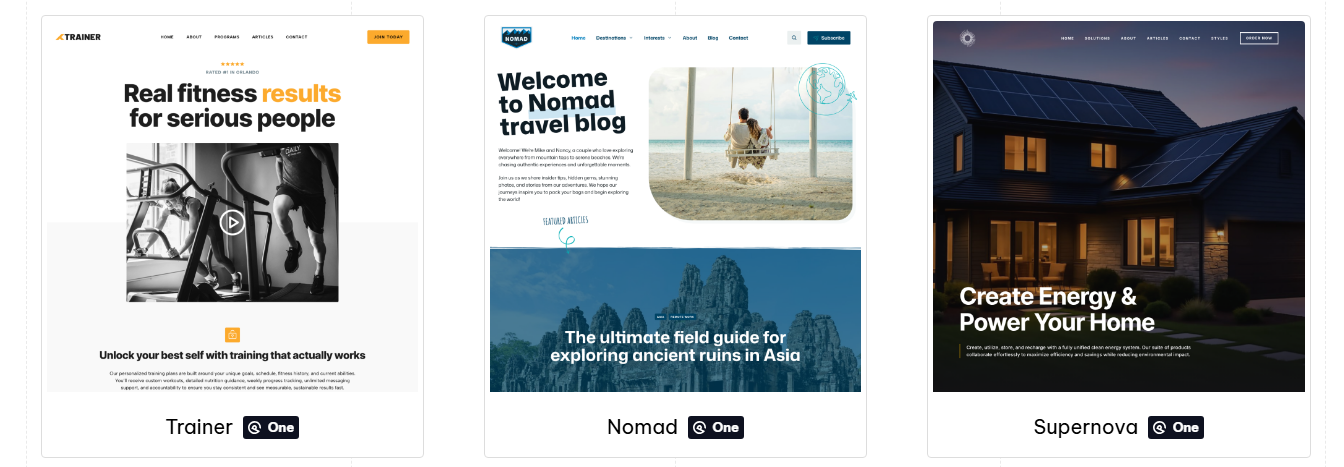
- Fitness: A modern starter site for a personal trainer.
- Podcast: Podcasts are really popular right now, so go for it if you’re interested.
- Headline: A trendy magazine-style starter site featuring well-balanced color blending without excessive use of color.
GeneratePress isn’t suitable for those who prefer drag-and-drop options. Yes, anyone can use the free version of GeneratePress, but it offers fewer customizations.
Simple themes are always good, and themes like Kadence and Blocksy work well if you want something quick and easy. But the premium version is quite nice; you’ll receive a clean version to customize. It offers various starter sites, but I miss a header and footer builder the most. That feature is in almost every theme, so I hope GP adds it.
3. OceanWP
OceanWP is one of the most popular WordPress themes with demo content. The free version includes many features, including fonts, templates, and others. It is a feature-rich theme after Blocksy and Kadence, with multiple upsides: you can easily tweak your website both overall and on specific pages, giving you total control to make it shine.
The best part is that you can disable features and settings to keep your site uncluttered. It has unique features, including custom sidebars, sticky footer, and RTL layout support.
But you can’t build the header or footer like them. However, it offers other header options, including a transparent header, and lets you customize each page’s header.
For website templates, OceanWP offers hundreds of full demos for Elementor and Gutenberg, many of which are exclusive to the paid version.
Here’s the thing: you can still access more than 50 free templates, but you’ll need a premium plan for WooCommerce starter sites.
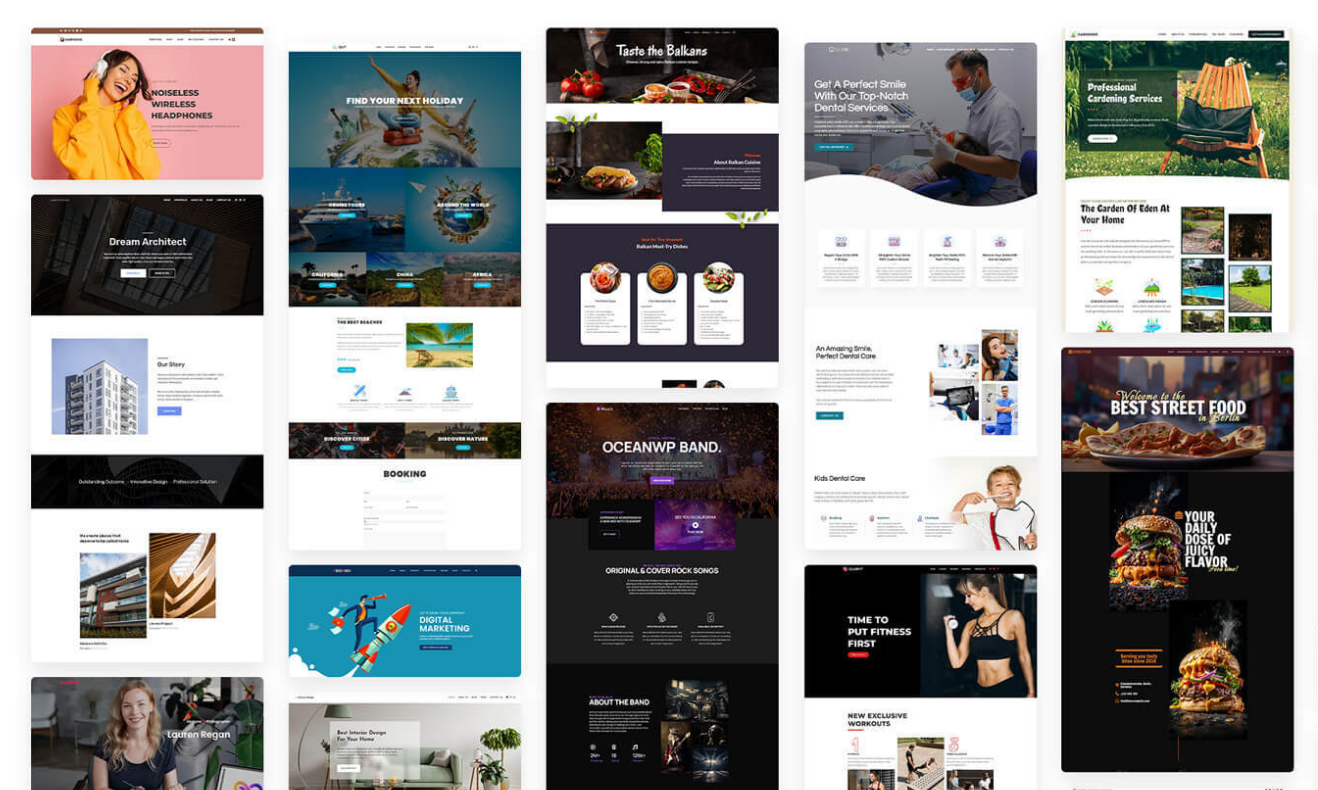
Although I’m not a fan of this theme, OceanWP’s free version offers more features than some competitors’. Thousands of people use it. It can’t surpass Blocksy, Kadence, or GP.
Still, it has plenty of demo content, both free and paid. The PRO version provides extra features and is more user-friendly for beginners. It offers comprehensive docs and guides for quick answers, so if you want an attractive, functional website theme and an easy setup, consider OceanWP.
4. Astra
Astra is a very popular WordPress theme with demo content from Brainstorm Force. Of course, it’s popular (probably the most popular). The theme’s best feature is the drag-and-drop header and footer builder, which lets you easily customize every element.
I am not sure why people like it, but it works well with the Spectra blocks. It’s not fast; fewer lines of code make Astra lightweight. If you start with fewer features, you may need to add more plugins later. This can make your setup less lightweight.
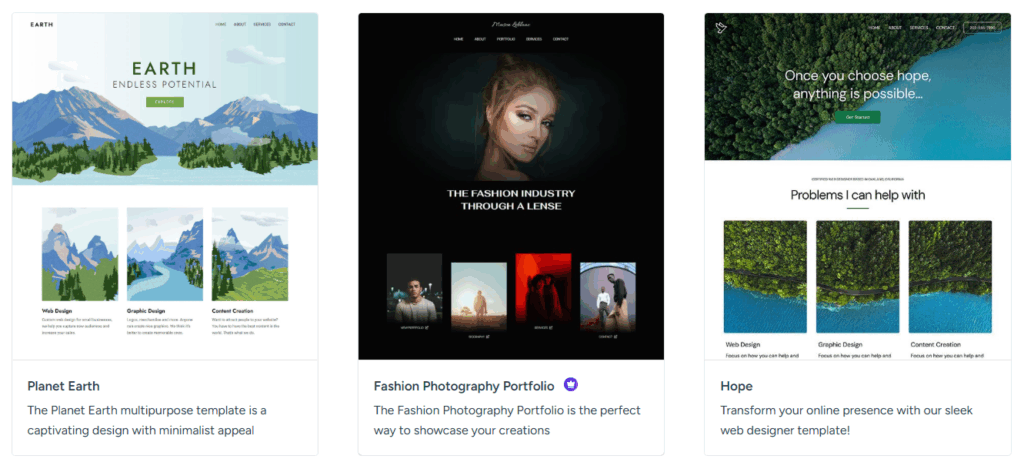
I’m not a fan of Astra’s starter sites. Although they offer extensive free demo content, the designs are not distinctive and tend to follow trends rather than stand out.
You’ll find dozens of demos that look decent in previews. You won’t pick one for quality; whenever I browse starter sites, I find their layouts messy.
Also, you need to install the “Starter Templates” plugin to access the Astra website templates; you can choose Gutenberg or Elementor. Here are some unique ones…
- Elderly Home: An elderly services demo content piece, and you don’t often find this kind of topic—nothing special, but it’s free.
- Injury and Accident Lawyer: You can find many lawyer templates, but not for subcategories like injury and accident lawyers.
- Limousine Rental Agency: I’ve seen numerous car rental templates, but what about limousine rentals?
- Calligraphy Artist: A fine template set for handwriting; this type of demo isn’t familiar to most WP themes.
The only thing I like about Brainstorm Force is Spectra, formerly known as Ultimate Addons for Gutenberg. Still, Astra is an appealing WordPress theme with demos.
I’m not a hater; I don’t have any issues with it, but I don’t like it. Overall, it feels generic and meant only for commercial purposes.
5. Kadence
Kadence isn’t my favorite, but I give it a top spot because its library includes over 100 WordPress demo sites that you can customize to your taste.
Unlike dull designs, Kadence offers clean designs with plenty of features, many of which are unlocked in the PRO version. This is why it’s so popular.
I also like Kadence Blocks because it’s functional and compatible with caching plugins. I’m not a big fan of Kadence, but here are some reasons to consider this theme…
- A robust free version (with few limitations)
- A standout feature is its drag-and-drop header and footer builder.
- Customize Kadence directly in the WordPress Customizer, with all theme options organized for easy access.
- It features advanced options, including localized fonts, sticky headers, auto-adaptation, custom layouts, and more.
- Kadence is really smooth and easy to use. It was easy for me to make adjustments that gave me exactly what I wanted.
Things have changed: I used to support the Kadence Theme and Kadence Blocks, but I no longer do. The original team and founder, Ben Ritner, have left, and those who built the Kadence brand are no longer with it. Liquid Web has now taken over Kadence and rolled out a fresh licensing system, bringing everything together under the Liquid Web name. When even LiquidWeb’s main service is lacking, what do you expect from the rest of their acquisitions?
Still, you can enhance the theme and block builder features with the PRO version. It allows users to select customizations. Kadence has attractive starter templates for any theme I have used. You can pick anything from a basic blog to a large online store. A well-set of features, including access to both free and PRO WordPress demo content.
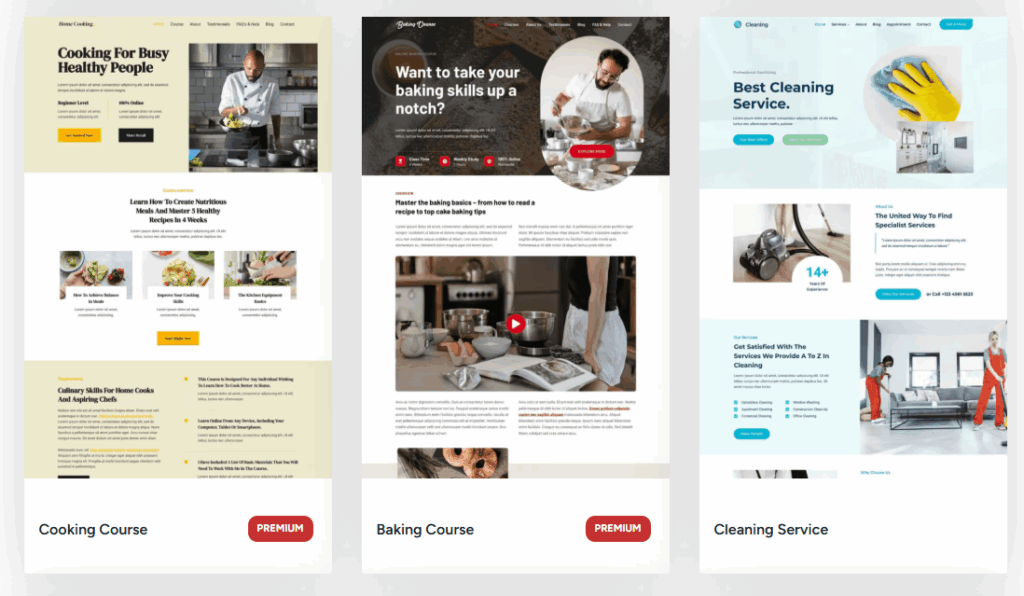
In Kadence’s library, you can download demo templates. Most are built with Kadence Blocks, but you can use Elementor. Page builders can be slow for various reasons.
Elementor and other visually vibrant builders can be slower because they add too many bloated features and are hard to optimize. So, when using Elementor, choose a reliable LiteSpeed host or cloud provider, such as Vultr.
6. Neve
Neve is one of ThemeIsle’s most popular themes. Neve’s free version doesn’t include many features you’d find in Kadence. It’s not my personal favorite, but ThemeIsle shows strong professionalism and responds to all support requests.
Neve is compatible with Gutenberg and page builders (Elementor, Divi, etc.). Common features include patterns, sections, custom fonts, and demo templates. Neve’s demo collection is hosted on a cloud server, and users can download it in a few clicks.
Another thing: it has over 40 starter sites, 17 of which are free. Yet, I was impressed by only a few. Examples of Neve’s unique starter sites:
- Museum: There aren’t many WordPress starter sites for museums.
- Audiobooks: Handy if you’re planning to make an audiobook website.
- Vacation Rental: A free vacation rental template that works with Gutenberg and Elementor, but honestly, it looks a bit old-fashioned.
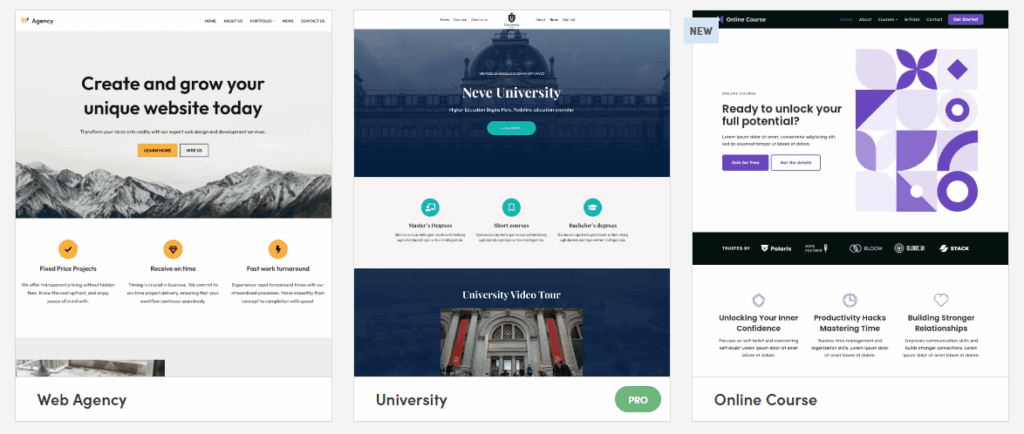
Neve offers a cloud-based template base that lets you store starter sites in your account and pair them with other websites. It is a solid theme with settings in the Customizer.
The free version isn’t imposing (it’s only suitable for simple blogs). You’ll need to switch to the premium version to access advanced features.
I feel it is outdated and hasn’t been updated or had new features added in a long time. But still, it is an ideal theme with a great team and customer support.
7. Zakra
Zakra is a ThemeGrill theme available for free download from the WordPress theme directory. It is a multipurpose theme, but I noticed that many demos are available only in the PRO version. It hasn’t been updated recently, which makes it feel bland.
It also lacks useful features, such as a header builder, a dropdown menu, page settings, and more, which free themes like Blocksy offer.
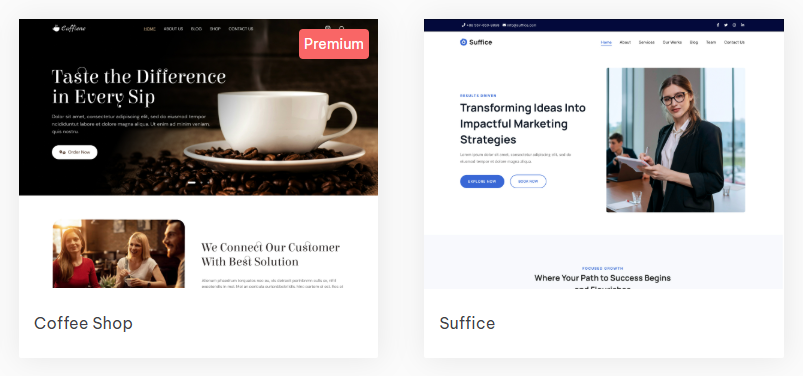
The template library includes 100+ pre-built sites you can download in just a few clicks. You can choose from 70+ business websites, 15 store sites, and 6 blogs. Here are some examples of Zakra starter sites:
- Freelancer: You can find a lot of demo content for freelancing.
- Antique store: An antique store template typically doesn’t originate from other themes; it’s a paid template designed specifically for Gutenberg.
- Job Portal: It’s free and built with Elementor. So, use a reliable cloud hosting control panel from a reputable provider.
- Organic Farm: Template kit for organic farm services, including design, planting, and growing fruits and vegetables.
So, depending on your choices, Zakra is a well-designed WordPress theme. The free version works for simple sites, but you can’t customize it freely. The Pro version doesn’t seem like a good deal for the price.
The point is that many high-quality free themes outperform Zakra in every aspect. Zakra doesn’t have its own Gutenberg block library, but it works well with third-party options.
8. Royal Elementor Kit
If you’re a fan of Elementor, the Royal Elementor Kit offers over 100 demo content. But page builders aren’t my cup of tea. The theme pack is ideal for Elementor fans, as it features both free and paid demo sites, making it fitting for testing environments.
Royal Elementor Kit is part of the Royal Addons, so you’ll need to purchase the premium version to get a fully featured website. It includes over 100 modules, including sticky headers, animated effects, and background images.
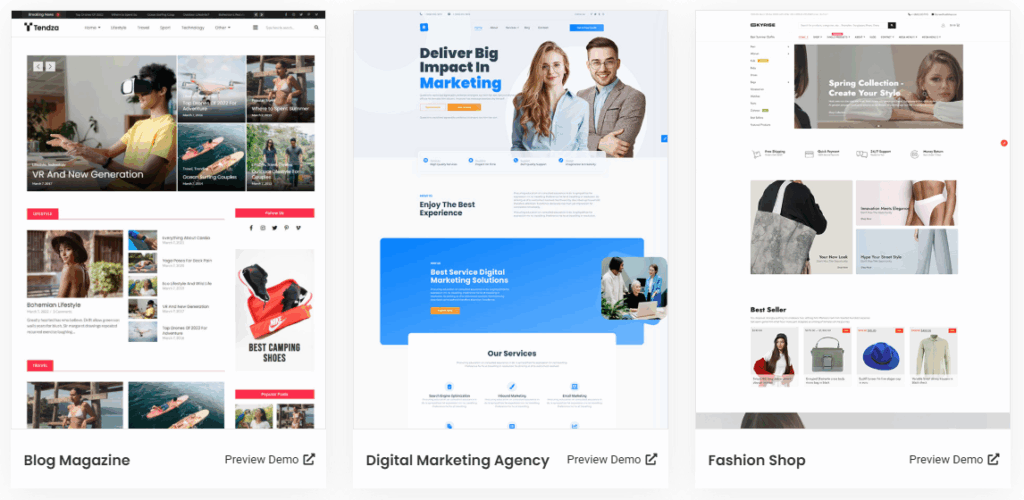
It includes multiple WordPress demos, such as cybersecurity and food delivery, built with Elementor and the Royal Elementor Addons plugin.
This process isn’t recommended for pro websites because it can hurt performance. I never recommend using page builders like Elementor.
Heavy page builders slow down websites, especially TTFB (time to first byte). And never host your Elementor website on a cheap web hosting provider.
9. PopularFX
PopularFX is not my preferred theme. Still, I have included it on this list because it offers over 500 starter sites. It has a drag-and-drop PageLayer builder with visual effects.
But you’ll need the paid version to access certain features. And it isn’t worth it. Many useful themes offer free and paid demos that are both robust and affordable. To start the PopularFX free premium WordPress demo content, you’ll need to do a few things.
After installing the theme, install a plugin to use the templates. Every template is built with the Page Layer Builder. They offer various free starter sites. I didn’t count how many, but I’d guess there are at least 100. The truth is, most are locked into the PRO.
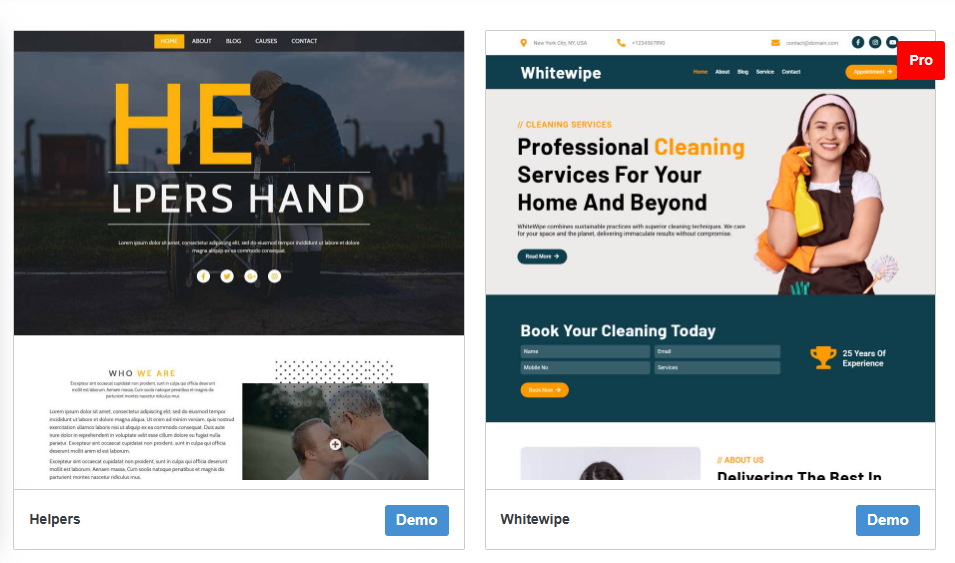
I’m not a fan of the PopularFX theme or the drag-and-drop setup, and I dislike heavy page builders. You can try it, but if you use page builders and heavy themes, use an optimization plugin like FlyingPress.
It has multiple demo templates, and the PRO version has many sections. Review the docs before using PopularFX, as setup requires installing several plugins. It’s suitable for beginners and for those who admire luxury but aren’t concerned about UX.
Final thought
Free WP themes are ideal for casual bloggers or simple design needs, but PRO themes have more features for serious websites. You’ll have more options. I think it depends on your needs. For serious WordPress websites, use a reliable CDN.
How about paid website demo content places like ThemeForest?
Don’t waste time. I don’t use third-party themes; the WP.ORG theme library has quality options. Your website should be yours, with complete control over how you use it.
It’s best to use official themes; they are usually well-made, so you are less likely to run into security problems. Almost all WordPress themes include demo content.
When I choose a theme, I stick to the official theme library. They’re easy to customize, and you don’t need coding skills. But I found fewer than 10 good options because there aren’t many. And here are the finest WordPress themes with demos:
- Blocksy: Simple to use and comes with many free demos.
- GeneratePress: Ideal for devs and regular users alike, it lacks a free demo but offers 100+ Pro starter sites.
- OceanWP: A theme with a large user base, offering numerous features in its free version. It includes various free and premium demo content.
- Astra: I think everyone knows it; a popular theme with various pre-built sections and starter sites.
- Kadence: Similar to Blocksy, it offers free demos. I’m not recommending it because when Liquid Web acquired Kadence, it became something else.
There are other options, but I didn’t list them because these are the most suitable. Most aren’t as stylish, have fewer users, offer fewer features, or are overpriced.
Pick a flexible theme you like for easy customization without coding changes. There is no significant difference; if a theme introduces a new feature, you’ll likely receive it.