
I rarely write about things like this, but I want to share my experience in case it helps someone else. Earlier this month, someone hacked one of my TikTok accounts.
Someone with access to my email account took it over. I couldn’t log in because he changed the linked email. I also hadn’t added a phone number to the account.
To secure your TikTok or other social media accounts, link a phone number, keep your passwords updated, and enable two-factor authentication in the Settings and Privacy section of your profile.
So, how can you determine if your account has been compromised?
If you see that someone has changed your username, password, or phone number, or they deleted content or posted without your permission. In the worst case, you may lose access to your account.
I had never tried to recover a hacked or stolen TikTok account before, but I decided to use the TikTok support form. I’m glad to say it worked. Based on my experience, I can guide you through safe, legal steps to recover a hacked or stolen TikTok account.
First, this method will not work if the hacked account username has been changed. If the username has not been changed, follow these steps. You can usually find your TikTok username in the URL after @: https://www.tiktok.com/@example…
Step 1: Verify Accessibility
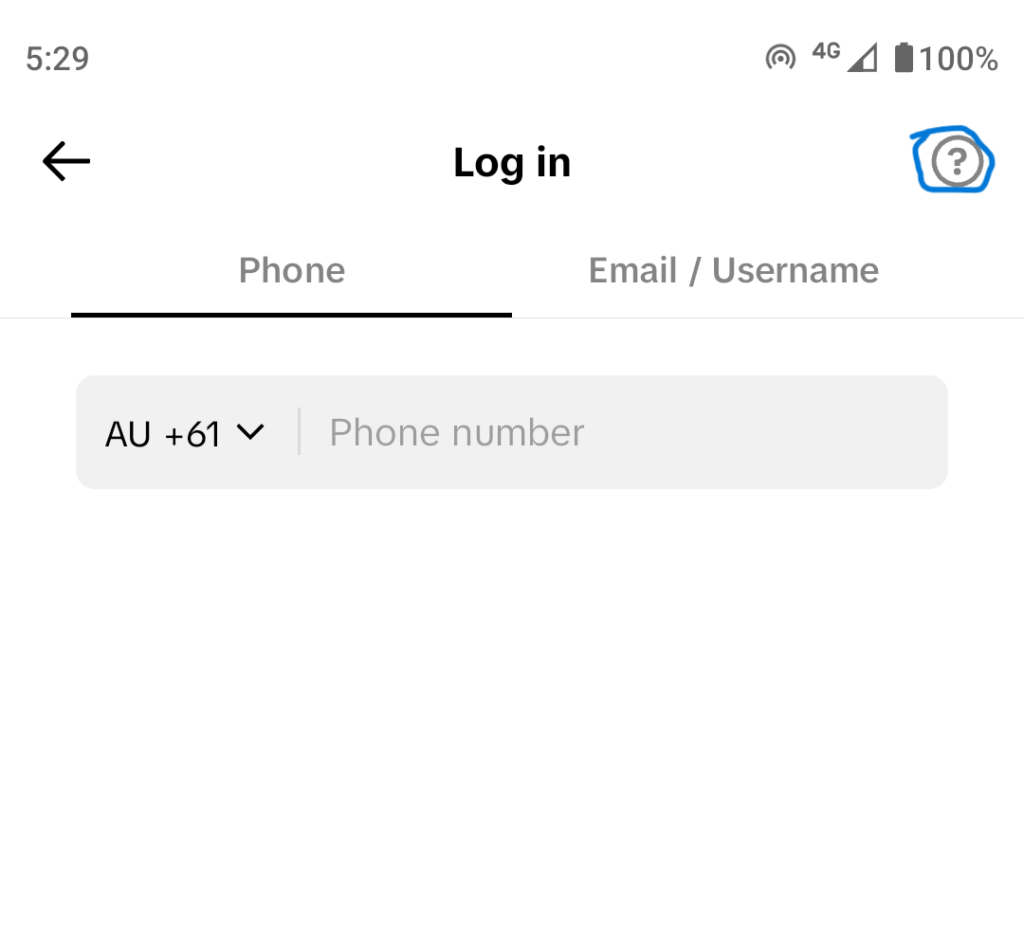
To check accessibility, enter the username in the login section on your PC or mobile device. If the account is active, select the help icon (question mark).
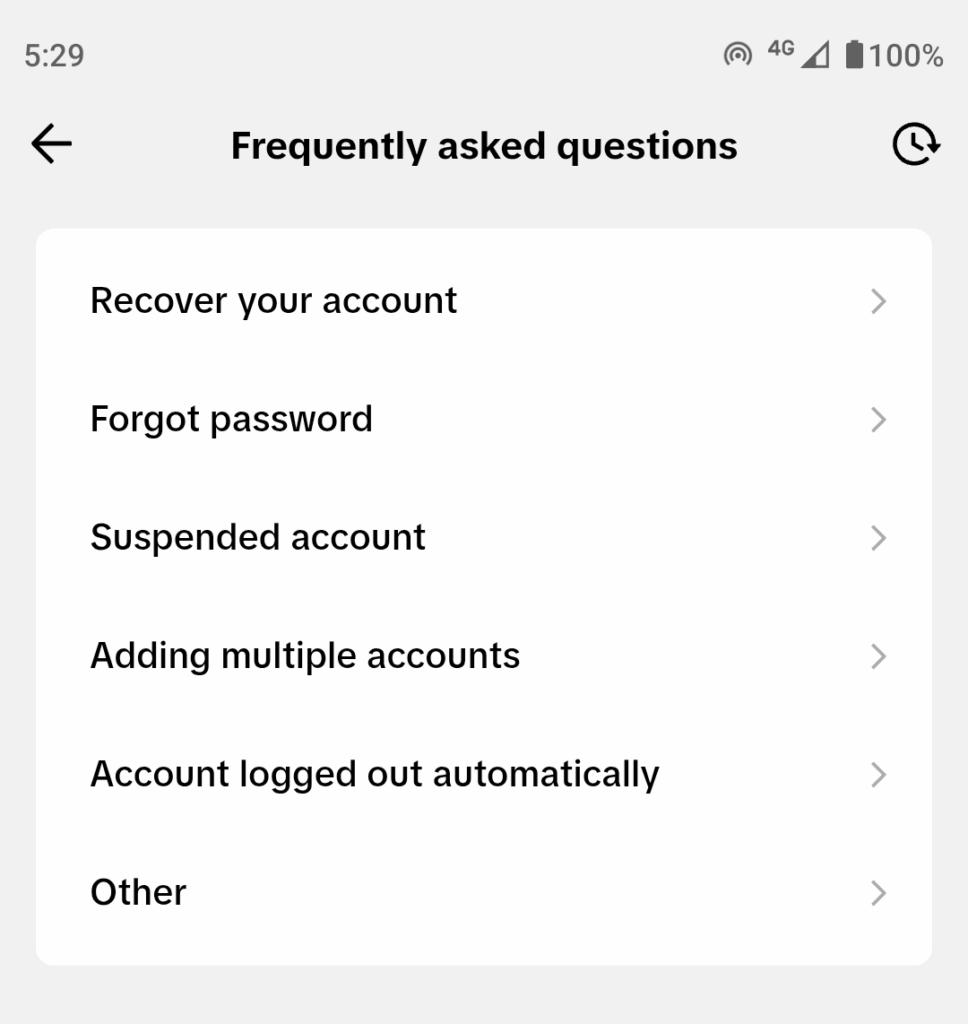
Here’s the FAQ section; click ‘Recover Account’ to proceed.
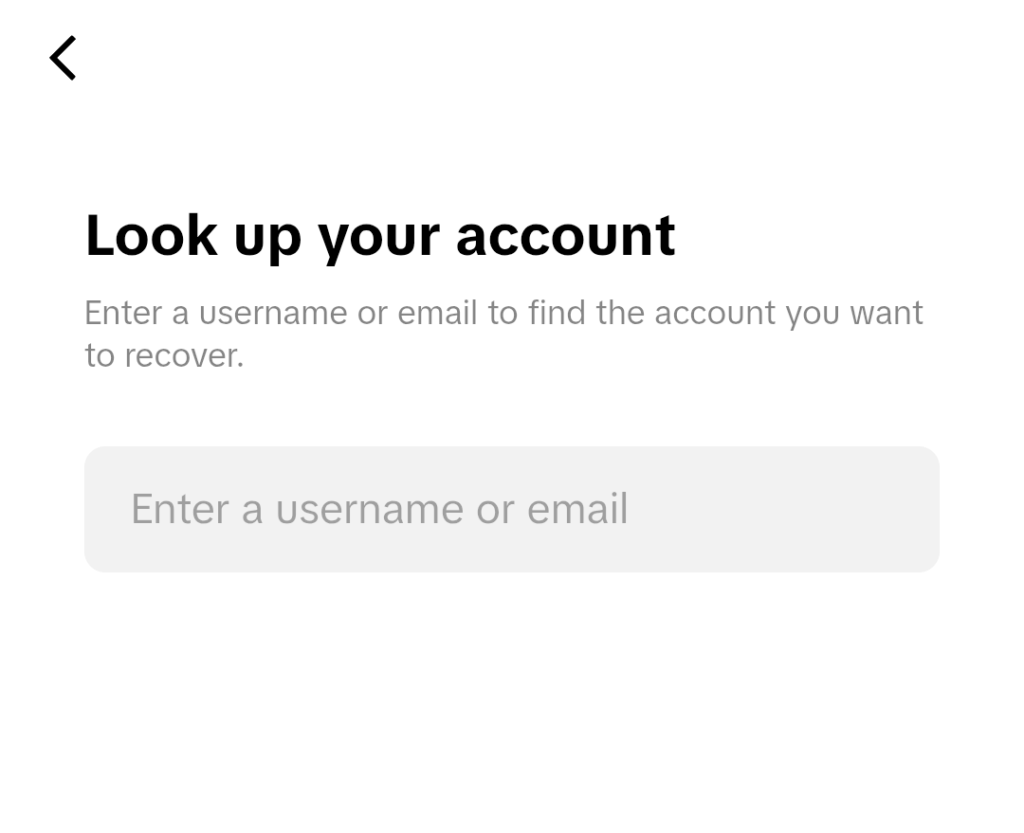
Enter your hacked account’s username or email address here…
Step 2: Request Email Support
Once there, select TikTok Support if you cannot access your account, then submit a ticket to request email support.
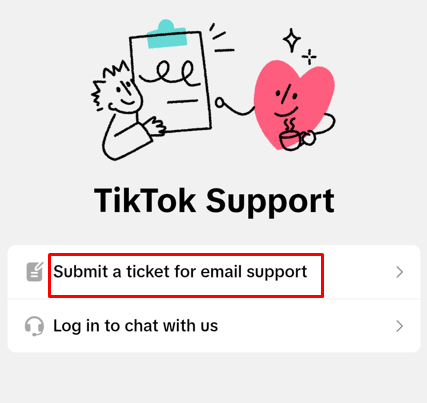
You’ll see a form to complete regarding your account. And here’s a screenshot…
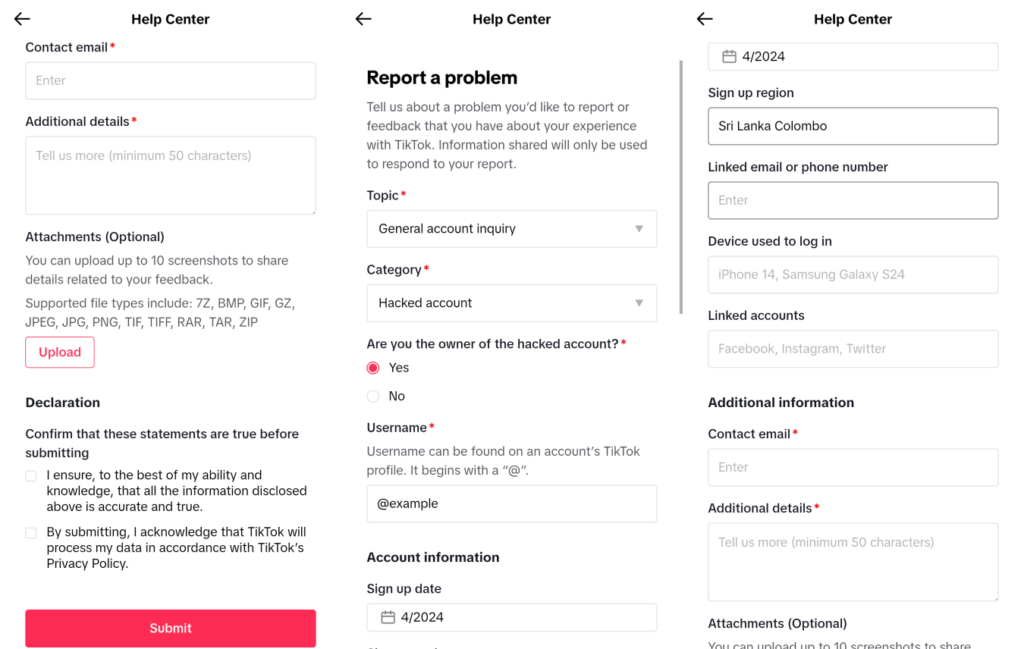
Here are the questions and explanations you need to complete the support form:
- Topic: General inquiry
- Category: Hacked account
- Username: @example
- Sign-up date: Year and month
- Sign-Up Region: City and country
- Linked email or phone: Account registration email or phone number.
- Device used to log in: Registration device or the device most often used.
- Linked accounts: Social media accounts linked to the hacked account (no need to fill out if you didn’t use any).
- Contact Email: The email you’re currently using.
- Additional details: Any other information related to the stolen account.
- Attachments: You can upload up to 10 images, such as screenshots or other files related to your hacked account.
You will receive a reply at your contact email within 1 to 2 days after submission. The message will come from SafetySupport@tiktok.com.
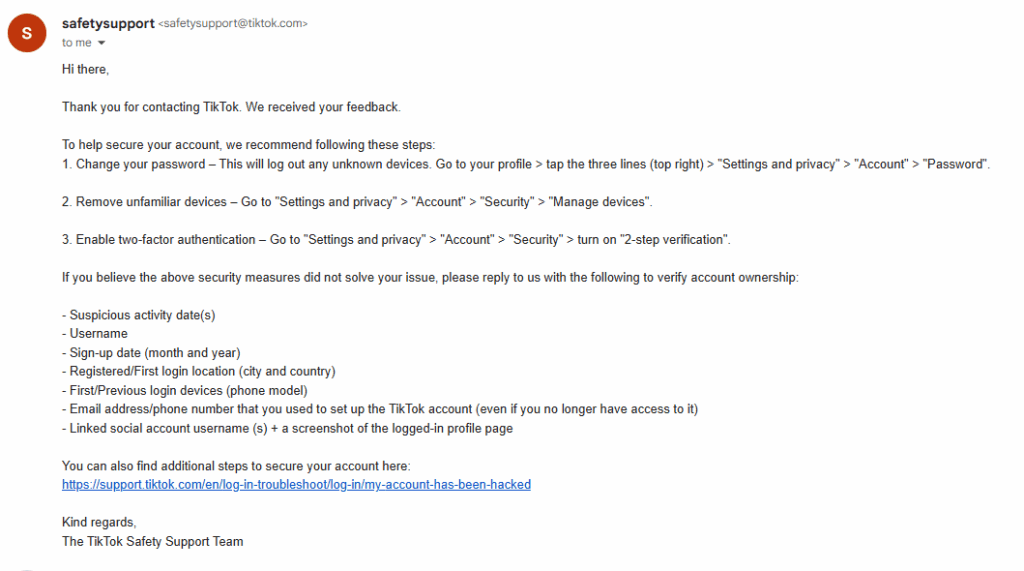
Step 3: Ownership Verification
If you can still access your account, the email suggests securing it ASAP. But it has been hacked. In that scenario, reply with the listed details to verify your account ownership:
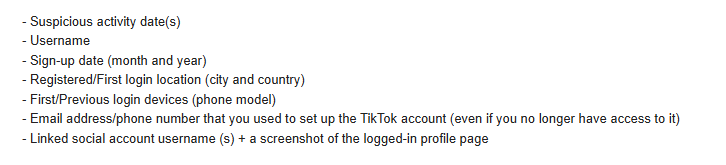
- Suspicious activity date
- Username
- Sign-up date: month and year
- Registered/first login location: city and country
- First/previous login devices, such as phone or PC models (e.g., the Pixel 9 Pro).
- Email or phone number you used to set up (even if you no longer have access).
- Linked social account usernames and a screenshot of the logged-in profile page. No need if you didn’t use any.
I provided more details, including the browsers I mostly used. A few hours later, I got an email confirming that I owned the account. They requested a phone number or email address to link the account.
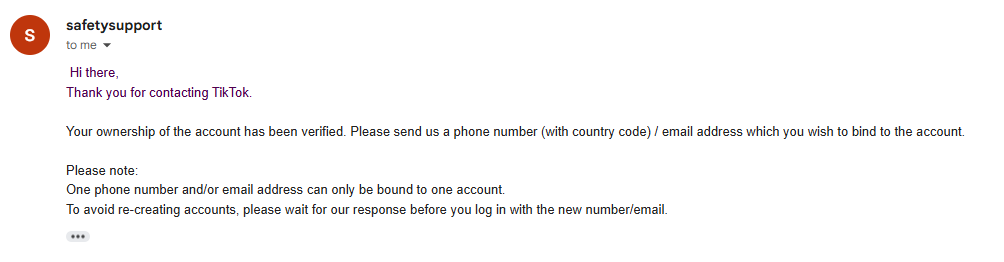
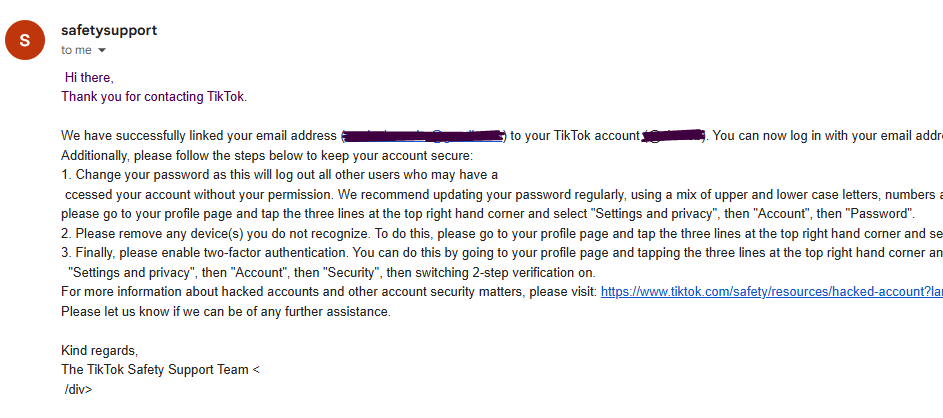
I sent my current email. After a couple of hours, my account was restored, and they emailed me stating, “We have successfully linked your email to your TikTok account.
You can now log in with your email address. Keep your account safe by following the instructions.” It provides security measures to protect an account.
In Conclusion
It was how I successfully regained access to my TikTok account after it was hacked, and I learned some practical steps along the way.
I was lucky the hacker didn’t change my username. Things could have gone differently if he had, since recovering a hacked account without verification is tough.
Keep in mind, this method may not work in every situation. Protect your credentials by not sharing your username, email, or phone number with anyone.
For example, Scammers may ask for your details to ‘check’ something, but they use them to access your account or share them with others. So, don’t share your login QR code with anyone; it could put your account at risk.
Make it a habit to log out of all devices at least once a week; it’s an effective security step. This blocks unauthorized access and helps protect against advanced threats.
I think this guidance applies to all social platforms, not just TikTok. It helps if your account is hacked or you can’t access your linked email or phone.
Read More: Copy Text From Protected Website | TTFB Measurement Tools