

TTFB is the time to first byte, which is the time it takes the browser to receive the first byte from the server in a request. Yet it is a key factor to focus on when measuring a site’s speed. Let’s be honest, it is the leading cause of slow load times for most sites.
You can test TTFB using any web resource, such as a page, image, font, or CSS file. It can measure the response time of your origin server or CDN provider. You can also test time to first byte separately for mobile devices and PCs.
A low TTFB improves user experience because your page loads faster, assuming everything is working properly. But if it is too high, users will see a blank screen for a short time until the server responds. It’s a significant factor in Core Web Vitals.
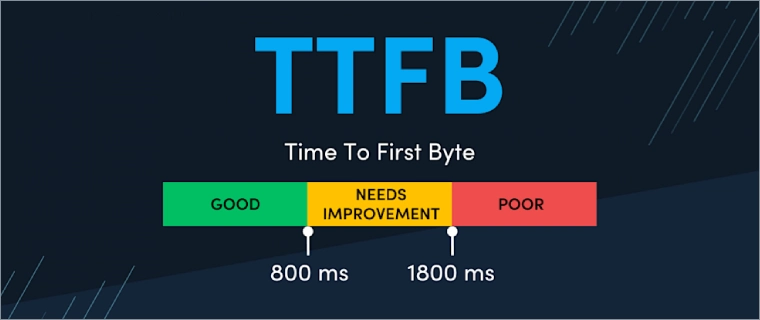
According to Google, good TTFB values are under 0.8 sec, and poor values are over 1.8 sec. A longer distance between your server and visitors increases latency and slows TTFB. That’s why professionals recommend CDNs for optimization. It plays a big part in this process, which is why it’s critical and significantly affects Web Vitals metrics.
Technically, when you enter a URL or click a link to a website, your browser takes several steps to receive the first byte of data. This is how a browser calculates it:
- DNS Lookup: First, a process takes time to turn a domain name into an IP address. Hosting IP addresses usually connect the website to the domain. So, your domain registrar’s response time matters.
- TLS (Transport Layer Security): The encrypted TLS handshake if using HTTPS and the time to build a valid TCP connection.
- Redirect Duration: Process time used on redirects. Yes, redirects slow down a website; even basic redirects like HTTP to HTTPS are time-consuming.
- Server Processing: This is the big part, and review your web hosting service. It’s the time the server spends handling application data, querying databases, and preparing the layout. Hosting can slow it down, so it matters.
Let’s review tools (websites) for measuring the time to the first byte of your website.
1. KeyCDN Performance Test
KeyCDN is a famous European CDN provider with over 60 distribution points. It isn’t my favorite, but I like their website performance measurement tools. There are several measurement tools for troubleshooting website, network, and CDN issues.
With “Performance Test,” you can test a website’s Time to First Byte from 10 locations worldwide. It has a simple interface and lets you measure a web URL. The results include a breakdown of loading times and HTTP headers.
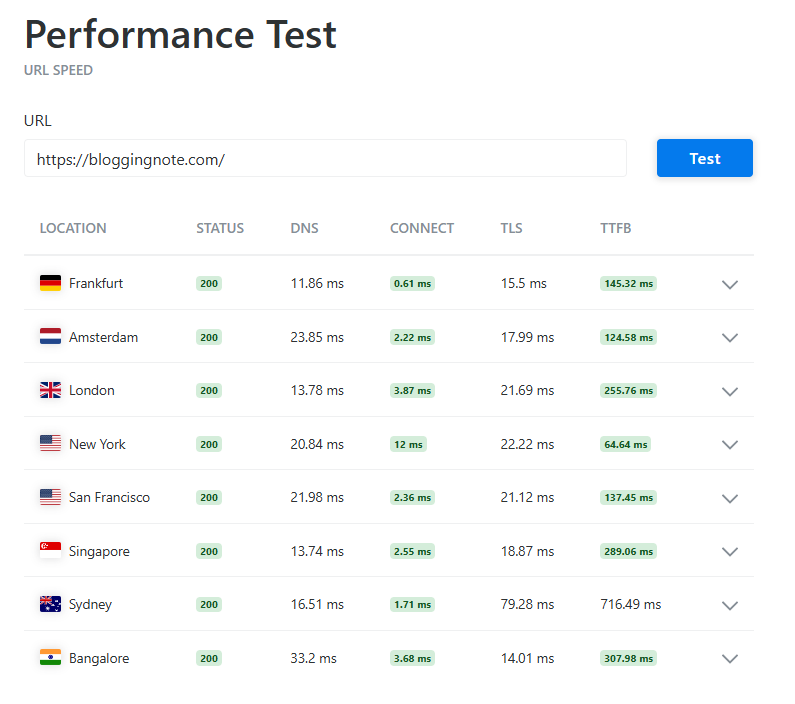
In addition to TTFB, you can view location, status codes, DNS lookup time, connection time, and TLS overhead.
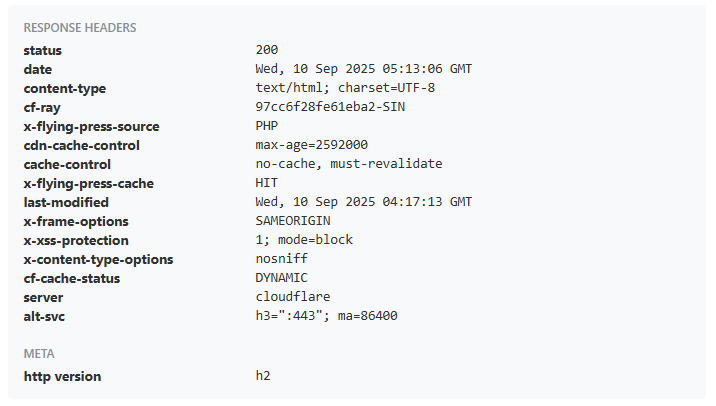
The HTTP response header includes additional metadata such as cache status, CDN details, last-modified date, cache-control, HTTP version, content type, and more.
2. Flying TTFB
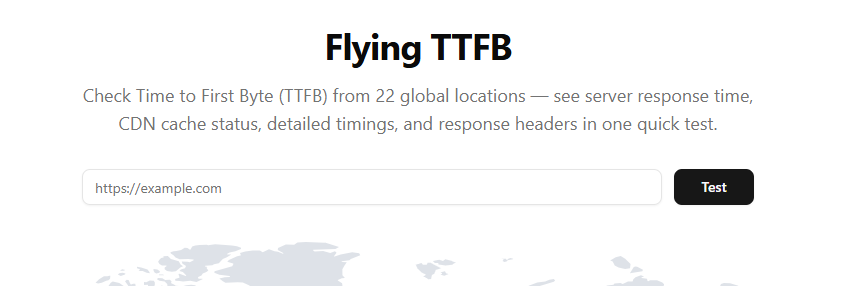
Flying TTFB is a new measurement tool released by FlyingPress (Gijo Varghese). It offers a bit more than KeyCDN, with the ability to measure across 22 global zones.
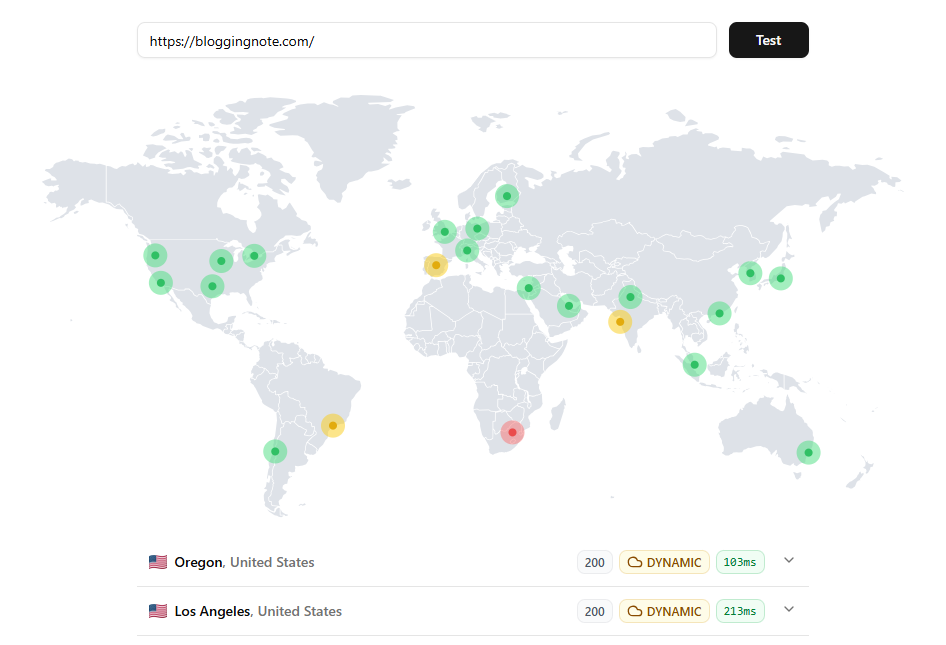
With a quick Time to First Byte test, you can view server response times, cache status, and header information. You can also view details such as IP address, encoding type (Brotli/Gzip), and cache source.
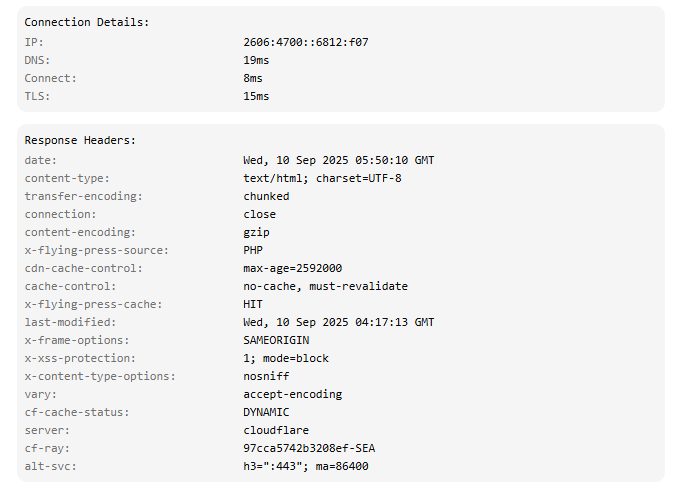
It’s a handy tool for checking time-to-first-byte across 20+ locations, including HTTP header statistics. It is from the WordPress speed enthusiasts behind the FlyingPress plugin, FlyingCDN, and FlyingHost. So, you can use it to check how well your origin server or CDN responds from locations around the world.
3. SpeedVitals
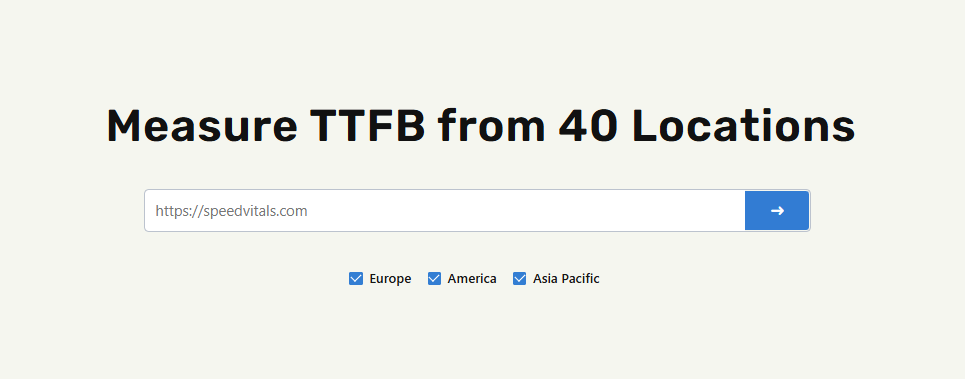
SpeedVitals is a comprehensive website performance test tool, making it more suited to testing multiple locations and details than the previous two options.
It’s an ideal alternative to GTmetrix or PSI because it lets you test multiple URLs and measure site speed across 40 countries. You can use most of their tools for free, but to use them at the top level, subscribe to a paid plan.
Users can use SpeedVital’s TTFB Testing tool for free across 30 locations. To access all zones, you have to pay. You can also test time to first byte separately for Europe, the Americas, and Asia-Pacific. In the results, you can view average TTFB values for Europe, the Americas, and Asia-Pacific separately.
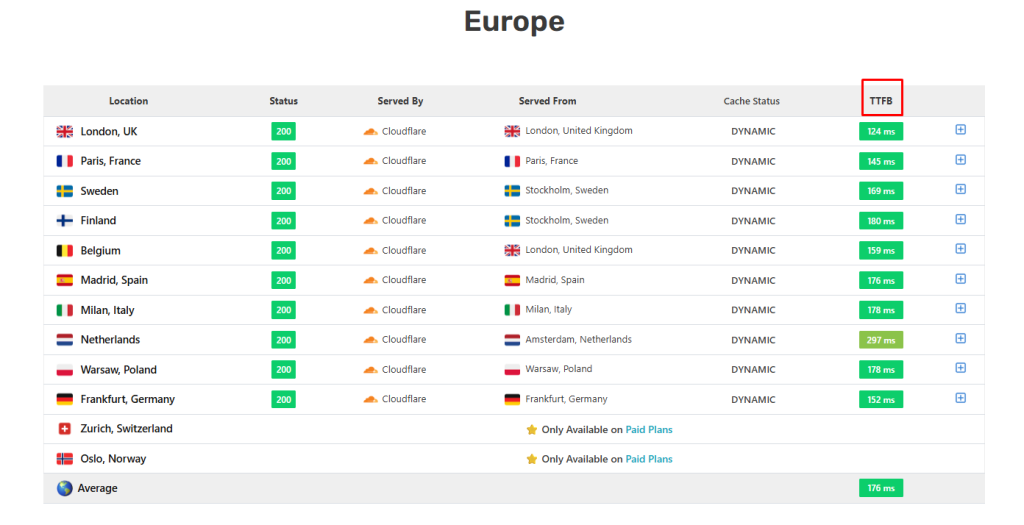
Additionally, you’ll see the HTTP header for every location, along with a summary of all locations that includes the average time to the first byte of your site.
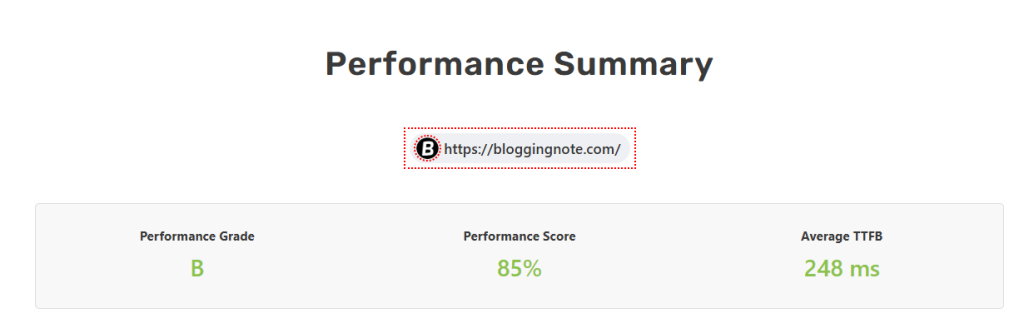
SpeedVitals isn’t just a measurement tool; it’s a full-featured package for those who care about website speed and other key optimization factors. As a WordPress speed enthusiast, it’s one of my favorites. They offer useful tutorials for optimizing websites.
I also suggest running the test at least twice to obtain more reliable results. It helps ensure the resource is cached and delivered from the CDN’s nearest data center.
4. GTMetrix
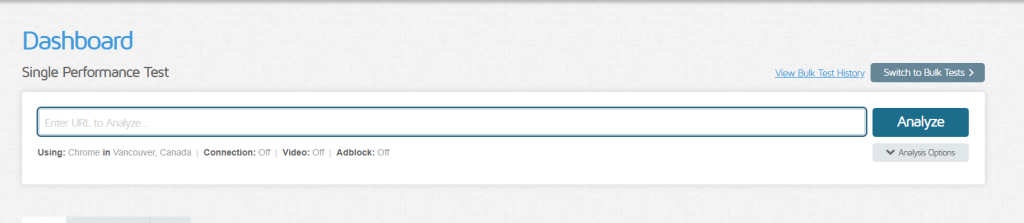
GTmetrix is one of the most popular tools for testing page performance. It is an all-in-one tool for measuring pages across multiple levels.
GTmetrix used to be free and offered plenty of features, but now you must create an account to use it, and it limits you to 5 tests per account.
To test your web pages globally, you’ll need a paid plan. Still, the free account lets you test web pages in 10 geographical regions, and the paid account lets you test pages in 25 locations worldwide.
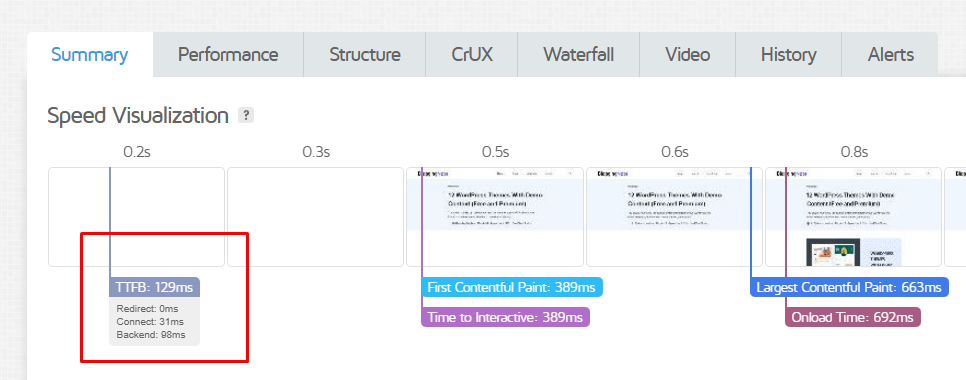
When using GTmetrix to examine your Time to First Byte, test the URL to see it in the results. GTmetrix results clearly outline your site’s performance. You can view the total loading time for each site asset type. I like the waterfall chart because it helps us identify the causes of site slowdowns. It’s still a valuable tool for web owners/devs.
5. WebPageTest
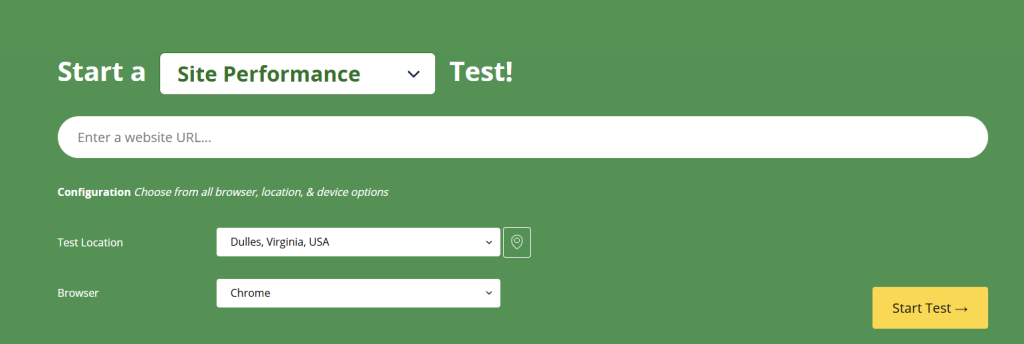
WebPageTest provides an in-depth look at your website’s performance. Even the free account allows you to analyze data from over 20 locations.
It’s a modern tool for anyone who wants to configure browsers, locations, and devices. You can set the connection speed and the browser dimensions.
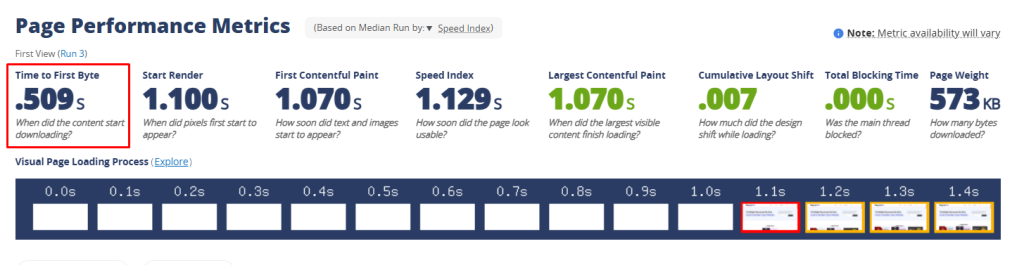
When you test your URL, the overview provides a detailed breakdown. It’s not just about the first byte; you can see a page summary for each asset on the website.
WebPageTest is one of the most comprehensive tools for measuring webpages. It offers more than performance stats. You can view the technologies used to build your site, including WordPress, PHP, themes, plugins, and CDN.
6. PageSpeed Insights

PageSpeed Insights is a widely used website performance audit tool that analyzes how well a site performs and is often abbreviated as PSI.
Google provides this entirely free tool for developers. It is a comprehensive tool for analyzing websites separately on desktop and mobile devices.
Compared with GTmetrix, it’s less complex, but you can still uncover a lot about your site. You can view the Web Vitals Assessment on both desktop and mobile devices.
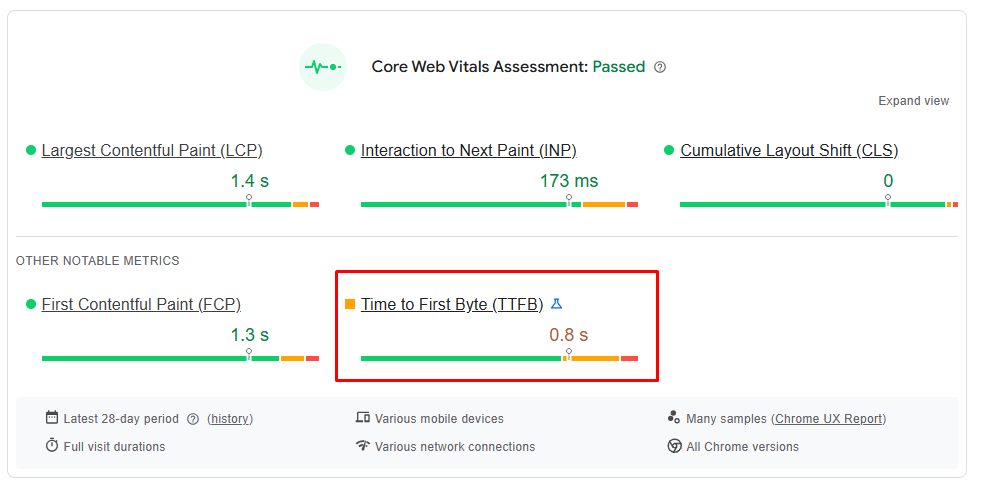
PSI gives you an idea of your site’s performance and TTFB in real browsers. And much of the guidance in PageSpeed Insights is linked to Largest Contentful Paint.
So those measurement tools check the time to the first byte of the website. They’re usually comprehensive, not just statistical ones. Let’s talk about optimization.
Optimize TTFB with These Techniques

Keep your site’s TTFB low where most of your visitors are. For example, if most of your visitors are in America, prioritize optimizing for that region. If your audience is global, aim to keep it low everywhere. And here are tips you can implement on your own:
Hosting
It doesn’t matter how many optimizations you implement if your hosting is bad. A good web host is the first step to optimizing TTFB; a decent VPS can handle most sites, so consider Vultr, UpCloud, DigitalOcean, or another reputable VPS provider.
You can also use a modern hosting provider like Rocket.net or FlyingHost, which are optimized for performance and include a global CDN with EDGE caching.
Modernize Your Server Stack
Always use the latest PHP, Redis, LiteSpeed, Nginx, MariaDB, and other server stacks. Stop using outdated tech like Apache, memcached, and Varnish; move to modern alternatives because web tech changes quickly, so be ready.
Use a Modern CDN
CDNs help websites manage global traffic and boost performance for users worldwide. However, that’s not always true: even with a CDN, you likely won’t see any improvement if you use it without optimization features. Or you guys use old CDN providers.
CDNs like Cloudflare, BunnyCDN, and Fastly offer tools to speed up page load times for global users. There are many settings, but you usually only need a few.
In my view, Cloudflare is the most reliable CDN NOWADAYS. It is easy to optimize TTFB with APO and Argo Smart Routing, reducing first-byte latency under 100ms.
Edge caching
AKA dynamic caching, it is typically enabled by default in modern CDNs, and it cuts TTFB in half. If you’re using a solid CDN with dynamic caching, you can get a time to first byte of under 200ms.
Cloudflare offers multiple implementation options for dynamic (full-page caching), such as Automatic Platform Optimization and page rules.
Page and Object Caching
Usually, CMSs, web hosts, and modern CLOUD control panels support multiple cache levels. In WordPress, you can maximize a lot with caching plugins like FlyingPress, LiteSpeed Cache, or WP Rocket. There is also server-LEVEL caching.
OBJECT CACHE enhances website performance by caching database query results in memory, leading to faster page loads. This lets you retrieve data quickly from the cache instead of querying the database.
Memcached and Redis are common options, but Redis is a modern OC method that works well for large websites; it’s not necessary for small ones.
Use a modern web framework instead of WordPress: Plenty of frameworks are lighter than WP, but most require some coding know-how. No worries if you’re not a coding whiz, though Claude’s got your back. I use Astro to build content-based websites, even though I’m not a framework expert.
Finally, you can test your page’s TTFB with FlyingTTFB, KeyCDN Test, DebugBear, and SpeedVitals. Aim to keep your website’s average global response time under 400 milliseconds. You can also try tools like WebPageTest, PSI, or GTmetrix for a more in-depth look at your website’s performance.